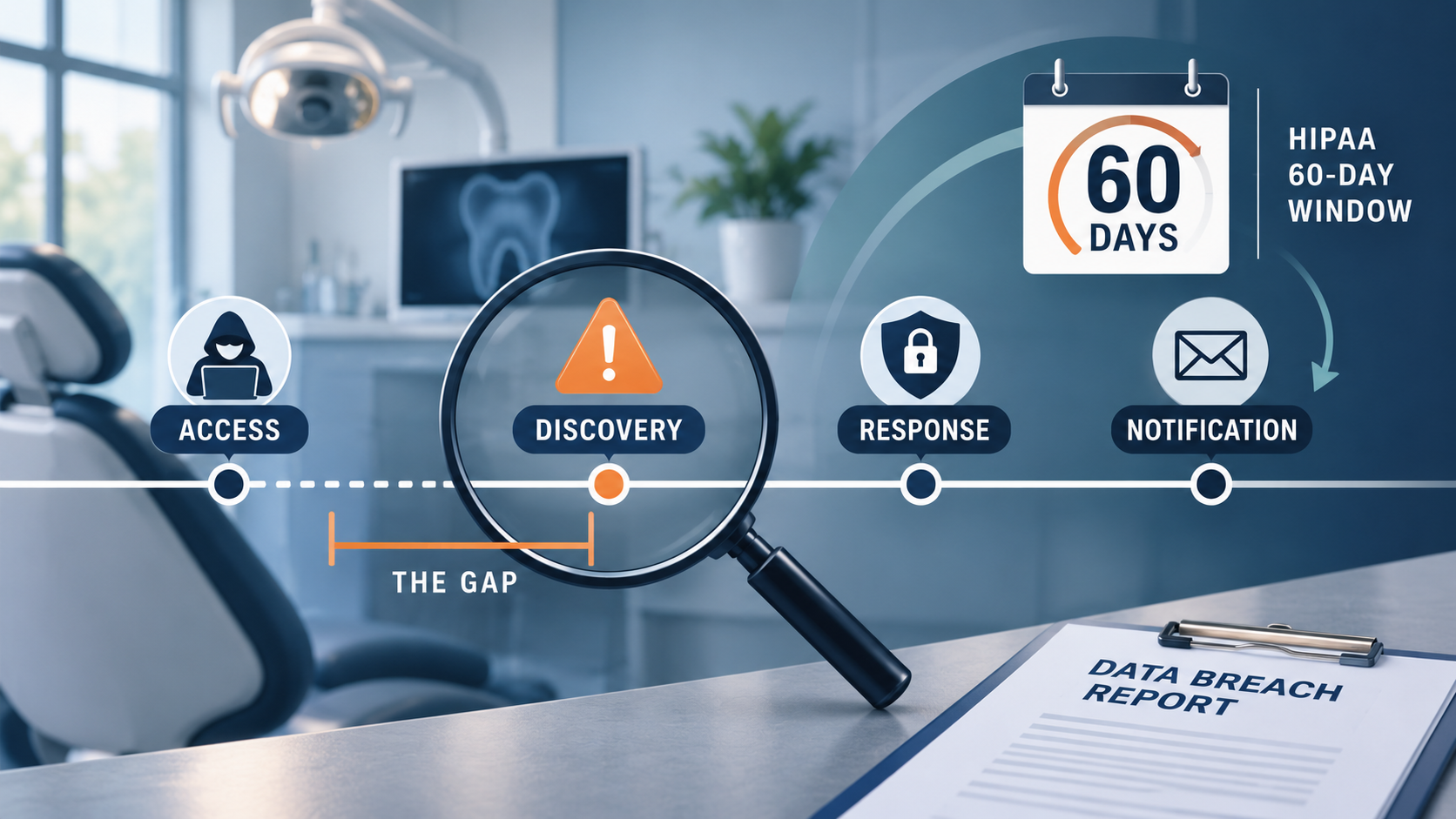
A dental practice data breach rarely looks the way people picture it. There's usually no dramatic moment. Someone gets in quietly, and the practice finds out days, weeks, or months later.
That's the thread running through HIPAA Journal's November 13, 2026 report on new healthcare breaches, which covers two dental practices: Hood River Dental in Oregon and Keep Smiling Dental Group in Ohio. The same report covers Liberty Healthcare Group, a multi-state senior living and nursing operator that's still working out how many people were affected.
These reports aren't one-offs. By late September, Becker's had already counted 23 dental cybersecurity incidents in 2026.
We covered how attackers get in back in June, in our roundup of cybersecurity incidents reported by dental practices. This post picks up where that one stops: what happens after someone is already inside. How long does it take to notice? What does HIPAA expect from you, and by when?
The good news is that most of what shortens that timeline is practical, affordable, and doable this month.
01What happened in the latest dental practice data breach reports?
Hood River Dental: two incidents and a long investigation
Hood River Dental has two locations in Hood River, Oregon. According to HIPAA Journal, the practice identified a security incident on or around October 22, 2025, and took steps to contain it. A second incident occurred on or around January 15, 2026. On September 8, 2026, the practice confirmed that patient data had been exposed in both.
The information that may have been involved includes names, dates of birth, Social Security numbers, financial details, and treatment and insurance information.
Keep Smiling Dental Group: discovered when the network went down
Keep Smiling Dental Group, a family practice in Beavercreek, Ohio, noticed a network disruption on September 7, 2026. Its investigation found that an unauthorized third party had been in the network from August 29 to September 5, and that files containing patient information were accessed or acquired.
The information involved varies by patient. It may include dental records, insurance and billing details, and, for some patients, Social Security numbers. The practice says it has since added security measures and anti-phishing training for staff.
| Practice | What was reported | Key date after that | People affected |
|---|---|---|---|
| Hood River Dental Hood River, OR | Two incidents: one identified around Oct. 22, 2025, a second around Jan. 15, 2026 | Exposure of patient data in both confirmed Sept. 8, 2026 | 16,609 and 14,677 (two filings) |
| Keep Smiling Dental Group Beavercreek, OH | Unauthorized network access from Aug. 29 to Sept. 5, 2026 | Network disruption noticed Sept. 7, 2026 | Not disclosed |
One note before going further: these are summaries of public reports, not criticism. Any practice can end up here, which is exactly why the timelines are worth studying.
02Why can it take months to confirm what a dental practice data breach exposed?
Finding out that someone got in is step one. Finding out what they touched is a much slower job.
A forensic team has to work out which systems were accessed, which files were opened or copied, and whose information was in those files. In a dental office, that can mean years of patient records, imaging, and billing exports spread across a server, several workstations, and email.
Slow confirmation is normal across healthcare, not a dental quirk. According to IBM's 2026 Cost of a Data Breach findings for the healthcare industry, healthcare organizations took 220 days to identify a breach and another 72 days to contain it. The global figures were 183 and 64 days.
Here's what that actually means for your practice: the investigation clock and the legal clock are not the same clock. Under HIPAA, the notification deadline runs from the day a breach is discovered, and a breach counts as discovered on the first day your practice knew about it or reasonably should have known.
HIPAA Journal's report doesn't detail what either practice knew on which date, and we're not second-guessing anyone's timeline. The practical takeaway is to plan as if your 60 days start the moment something looks wrong.
03How does a dental practice end up reporting two incidents three months apart?
We don't know which of those applies to Hood River Dental, and it would be unfair to guess. The general lesson still holds for every practice: stopping an incident and closing the door behind it are two different jobs.
Containment is the urgent part. You isolate the affected computers, reset passwords, and get the schedule running again. Remediation is the slower part: working out exactly how the person got in and fixing the underlying gap.
When a practice is under pressure to see patients Monday morning, the second job is the one that gets squeezed. A few habits help it stick:
- Reset everything, including shared logins, service accounts, and vendor remote-access credentials.
- Get the entry point in writing from the forensic team before systems go back into normal use.
- Rebuild instead of cleaning. Restore affected computers from a known-good image.
- Turn monitoring up, not down, for the months after an incident.
04How do most dental practices find out they've been breached?
Usually the hard way. Keep Smiling Dental Group learned something was wrong when its network was disrupted, two days after the intruder's access had ended.
That's a common pattern. The first sign is a symptom: systems go offline, files won't open, or a ransom note appears. The other common route is a phone call from someone else. In the vendor incident from our June post, a Virginia practice learned in March 2026 about a vendor exposure from the previous October.
Both routes share a problem. By the time you hear about it, the access has already happened. The alternative is having something, and someone, watching for the quiet signs before the loud ones:
- Sign-ins from unfamiliar locations, or at 3 a.m.
- A new email forwarding rule nobody remembers setting up
- Unusually large amounts of data leaving the server
- Security software being switched off
- New administrator accounts appearing
None of those are visible to a busy front desk. They are visible to monitoring tools and the people reading the alerts, which is the practical difference between reactive and proactive dental IT support.
05What does HIPAA require after a dental practice data breach?
Those requirements come from the HHS Breach Notification Rule. According to HHS, a few details tend to trip practices up:
- A breach is presumed unless a documented risk assessment shows a low probability that patient information was compromised.
- Local media must be notified when more than 500 residents of one state are affected.
- Small breaches still get reported. Breaches affecting fewer than 500 people go to HHS in an annual report.
- Your vendors have a clock as well. A business associate has 60 days from discovery to tell your practice about a breach on its side.
Two more things are worth knowing. State breach laws can be stricter than HIPAA, so bring in a healthcare attorney early. And the HHS rule covers unsecured information, so a stolen laptop that was properly encrypted generally isn't a reportable breach.
Here's how the first 60 days usually run:
- 1Contain it without destroying evidenceDisconnect affected computers from the network, but don't wipe or reinstall anything yet. Call your IT provider right away.
- 2Call your cyber insurance carrier and attorneyDo it on day one. Many policies require you to use the carrier's approved forensic and legal teams.
- 3Start the investigation and a written logRecord what you found, when you found it, and every decision after that. You'll need that record later.
- 4Run the four-factor risk assessmentHHS looks at what information was involved, who received it, whether it was actually viewed or taken, and how far the risk has been reduced.
- 5Notify affected patientsSend written notice by first-class mail, or by email if the patient has agreed to it, no later than 60 days after discovery.
- 6Notify HHS, and the media if requiredFor 500 or more people, report to HHS within the same 60 days. Smaller breaches go in the annual report.
- 7Fix the root cause and update your risk analysisClose the gap that let it happen, then record what changed in your security risk analysis.
That last step matters more than it looks. In February 2026, the HHS Office for Civil Rights announced a settlement under its Risk Analysis Initiative that began with a breach report the organization itself had filed. Investigators found it hadn't completed a proper risk analysis. Our HIPAA risk assessment guide for dental practices walks through one step by step.
06What can your practice do this week to shorten detection time?
Ask your IT provider: when security software flags something at 2 a.m. on a Saturday, who sees it, and what do they do next?
Microsoft 365 and Google Workspace can both flag unusual sign-ins and new forwarding rules. Make sure those alerts go to someone who will act.
List phone numbers for your IT provider, cyber insurer, and attorney, plus who decides to take systems offline. Then print it.
Don't just confirm the backup ran. Restore a real file and time how long it takes.
Paperwork counts here too. In October 2026, a Pennsylvania dental practice agreed to a $140,000 settlement with HHS. That case started with a patient's records request, not a hacker. Investigators found no evidence of written privacy or breach notification policies and no formal staff training.
One thing not to do is wait for new regulations. The proposed HIPAA Security Rule overhaul has slipped to a projected July 2027, according to Clark Hill's analysis of the federal regulatory agenda, and today's Security Rule still applies in full. Our post on getting ready for the new HIPAA Security Rule has the background.
07How does Darkhorse Tech help dental practices respond faster?
Darkhorse Tech works only with dental practices, so the systems involved in an incident are ones our team handles every day: practice management software, imaging, email, networks, and backups.
Darkhorse Tech's approach is proactive. Monitoring, endpoint protection, email security, backup and disaster recovery, and HIPAA-focused support are part of the service, so there's less to scramble for when something looks off.
If you're not sure how quickly your practice would notice an intruder, or who you'd call first, that's exactly what we're here for. You can compare Darkhorse Tech's plans and pricing or reach out for a conversation.
Not sure how fast your practice would spot a breach?
Darkhorse Tech can review your monitoring, backups, and response plan, and tell you plainly where the gaps are.
The bottom line
The Hood River Dental and Keep Smiling Dental Group reports are useful because of their dates, not their drama. Three takeaways apply to any dental practice:
- Assume detection will be slower than you'd like. Then invest in shortening it with monitoring and alerts that a real person reads.
- Treat the 60 days as already running. Plan from the moment something looks wrong, not from the day the forensic report arrives.
- Don't stop at containment. Find the root cause, fix it, and write it into your risk analysis.
If you'd like a second set of eyes on any of that, get in touch with Darkhorse Tech. We're happy to help, whether or not you're a client yet.

